Received a PPAD file? Click here to open the file


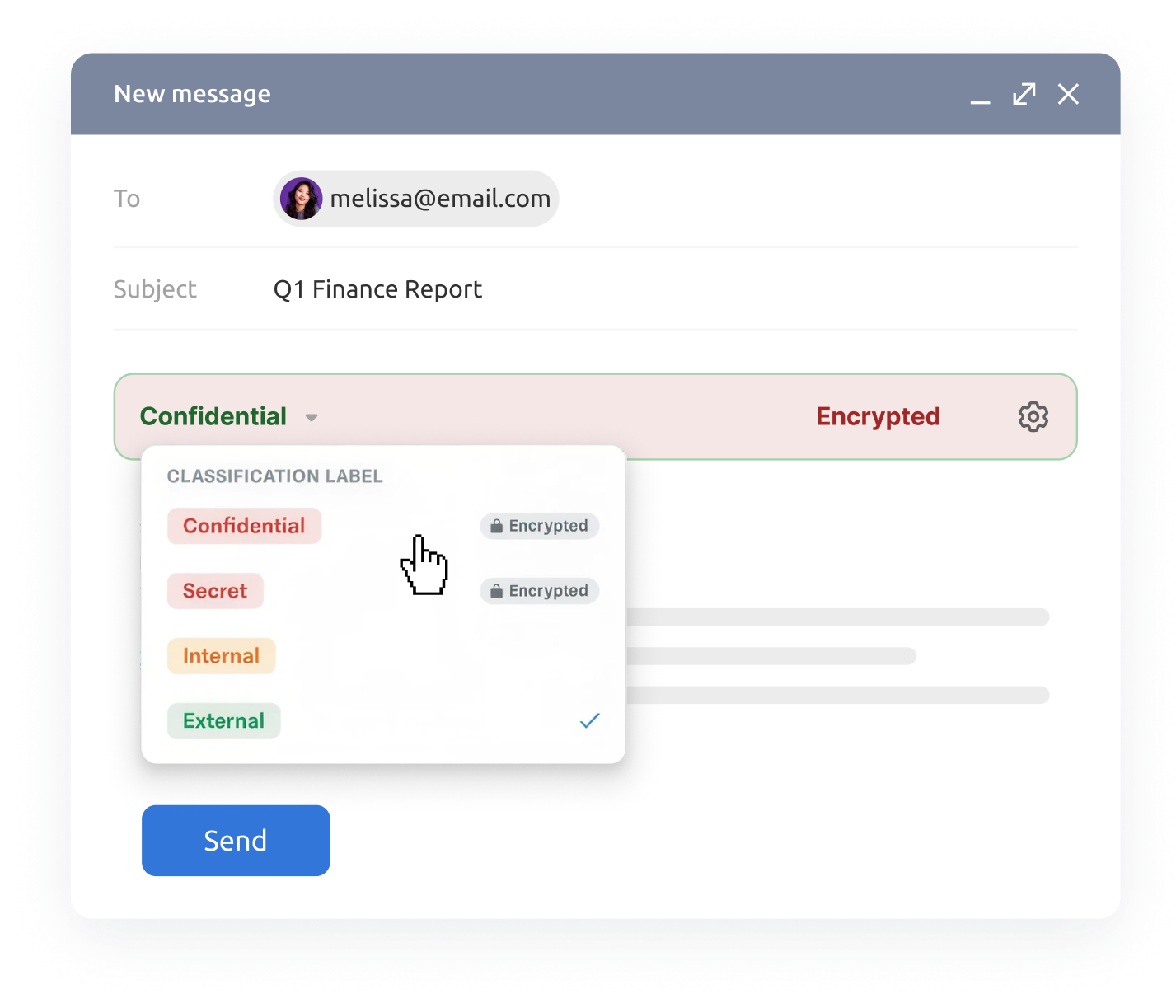
Standardize how your team handles sensitive emails with classification labels that automatically apply encryption and protection rules directly in Gmail.
Automatically apply classification labels and log email activity to reduce human error, support compliance, and keep evidence ready for audits.
Decide the encryption, recipient domains, watermarking, and usage rules that go with each classification.
Choose which labels a role can reach, which one is selected by default, and whether classifying is mandatory.
The label applies its own rules before the email leaves, and every open is recorded afterwards.
Requirements that usually run on training and goodwill start running on configuration instead.



*PPAD supports the controls behind these requirements. Certification and compliance depend on your wider programme, not on any single tool.
What each label carries, and what your administrators control.
External, Internal, and Confidential ready on day one. Add your own.
Dynamic watermarking
Stamp the label name and viewer identity on every page opened.
Print, copy, and expiry controls
Block printing and copying, add screenshot protection, set expiry.
Access records after delivery
See who opened a protected email, and cut off access at any time.
Allowed recipient domains
Emails to domains outside a label's list are blocked before sending.
Labelling in subject and body
Show the label in the subject line, the email body, or both.
Locked protection settings
Sent emails keep the settings that applied at the time.
Centralized label management
Create, edit, delete, and reorder labels centrally, with consistent ordering across all label pickers.
Classification schemes differ by industry. The enforcement behind them works the same way.
A classification label marks the sensitivity of an outgoing email and carries the protection rules that go with it. When a sender picks a label, PPAD applies the encryption, recipient restrictions, watermarking, and display settings an administrator attached to that label.
A tag records a judgement. A PPAD label enforces one. Each label carries settings for encryption, allowed recipient domains, watermarking, printing, expiry, and subject-line display, so the protection applies automatically instead of depending on the sender remembering to switch it on.
Yes. The three default labels can be renamed, reconfigured, reordered, or removed, and you can create your own. Order is set once and applies everywhere the labels appear, including the picker your senders see.
Yes. A label can carry a list of allowed recipient domains. The sender sees the permitted domains while composing, and a message addressed outside that list is blocked before it is sent, with an error naming the recipient causing the block. Domain restriction applies on labels that enforce encryption.
Yes. Label selection is set per role. With enforcement on, the send is blocked until the sender chooses a label. With enforcement off, a no classification option is available alongside the labels the role can use.
Emails keep the classification and the protection settings that were in force when they were sent. Editing or deleting a label changes what future emails get, not what has already left.
No single tool does that, and anyone telling you otherwise is selling. Labels give you the classification, labelling, and transfer controls those frameworks ask for, applied automatically rather than left to individual judgement, plus records of what was applied and who accessed it. Certification still rests on your wider programme.
Your label configuration shows what each classification enforces. Your role configuration shows which people could apply which labels and whether classification was mandatory for them. PPAD's access records show who opened protected content, when, and what happened to it after delivery.
Use classification labels to apply your protection rules consistently and reduce manual security setup in Gmail.