Send sensitive emails securely with the PPAD Gmail plugin

Protect email content and attachments directly in Gmail with encryption and access controls. Apply protection the moment you hit send, so you reduce leakage risk without switching tools.
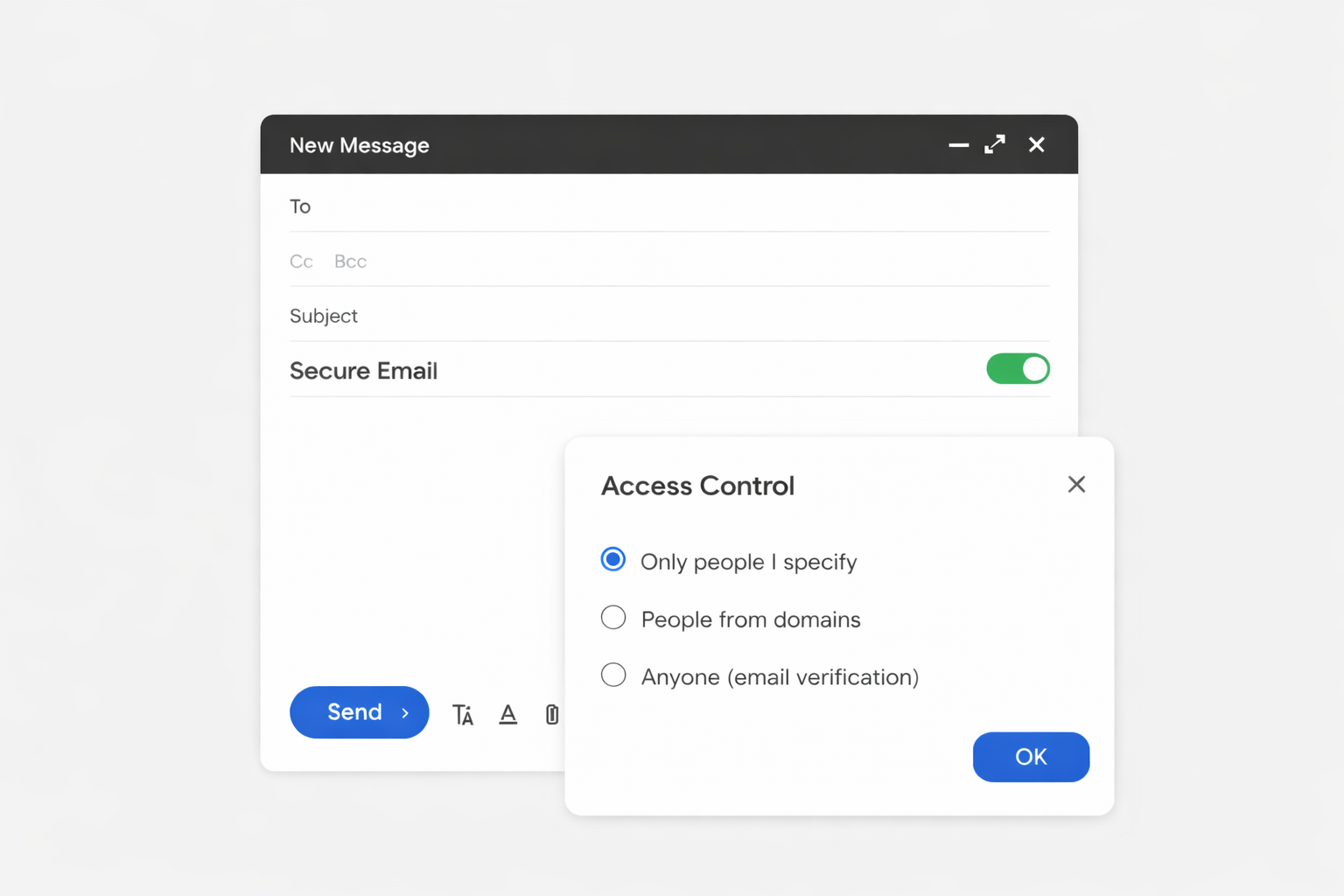
PPAD persistence protection after download digital rights management DRM

Why Use the PPAD Gmail Plugin

Secure sharing without changing your Gmail workflow

Send sensitive files or simply protect your email content without disrupting how you already work. The PPAD Gmail Plugin fits directly into Gmail, so you can protect the email body, as well as any attachments without switching tools, changing habits, or slowing down your day. Security becomes part of every email, not an extra step.
  • Share protected files or content directly from Gmail
  • Simple setup with zero learning curve
  • Keep your existing email workflow fully intact

Maintain full control even after sending

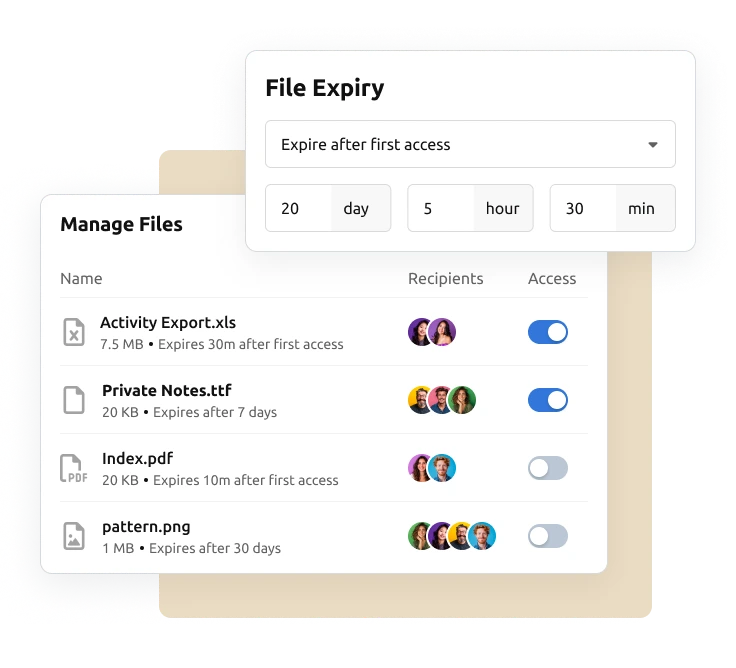
Sending a file does not mean giving up control. You decide who can access your documents, for how long, and under what conditions. Even after an email is delivered, you can update permissions or cut off access instantly to stay in control at all times.
  • Revoke access immediately if circumstances change
  • Set expiry dates to limit long-term exposure
  • Update permissions without resending files

Intuitive experience for both you and your recipients

Powerful security does not have to feel complicated. The experience is designed to be simple and familiar for everyone involved, so files can be accessed quickly without confusion, delays, or technical barriers.
  • Recipients access files without creating accounts
  • Clean, straightforward viewing experience
  • Reduces friction and speeds up collaboration

Turn email sends into actionable insights

Stop guessing what happens after you click send. Get clear visibility into when your files are opened and how recipients engage, so you know when to follow up and how to move conversations forward with confidence.
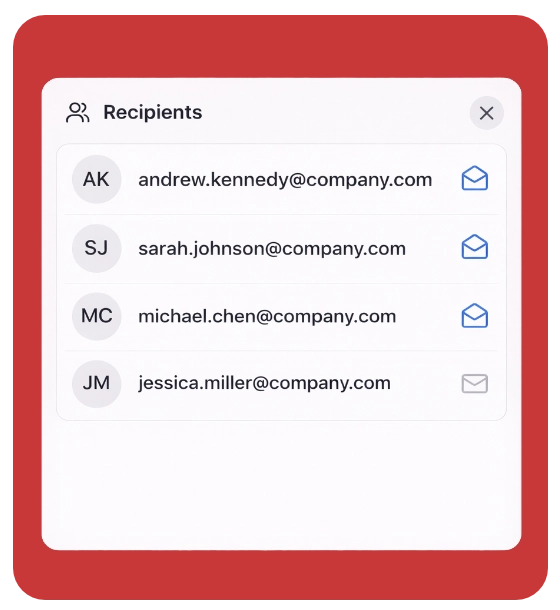
  • See exactly when files are accessed
  • Gain real-time insight into recipient engagement
  • Follow up at the right time with better context

Core capabilities of the PPAD Gmail plugin

The PPAD Gmail Plugin makes it easy for organisations to send email securely by encrypting sensitive content and attachments directly within Gmail, while providing full control, advanced security settings, and visibility into recipient activity throughout the entire sharing process.

ppad icon dynamic watermark

Controlled Forwarding

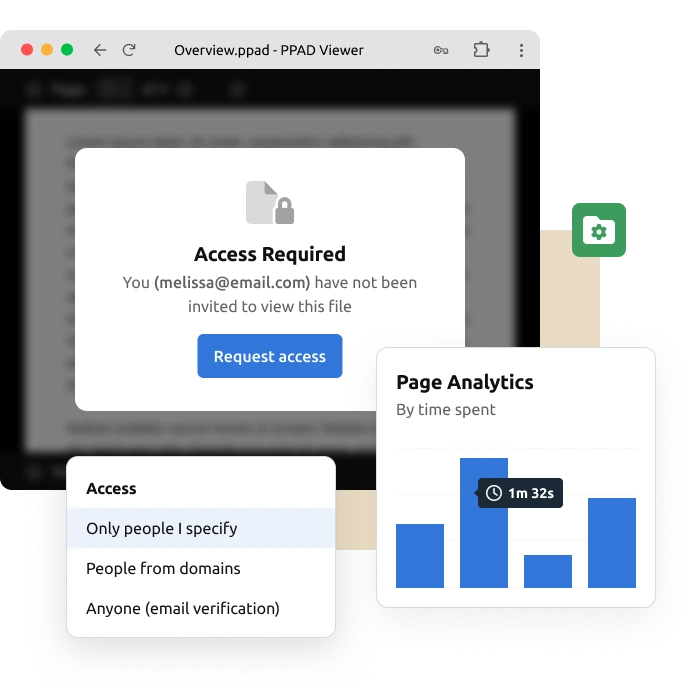
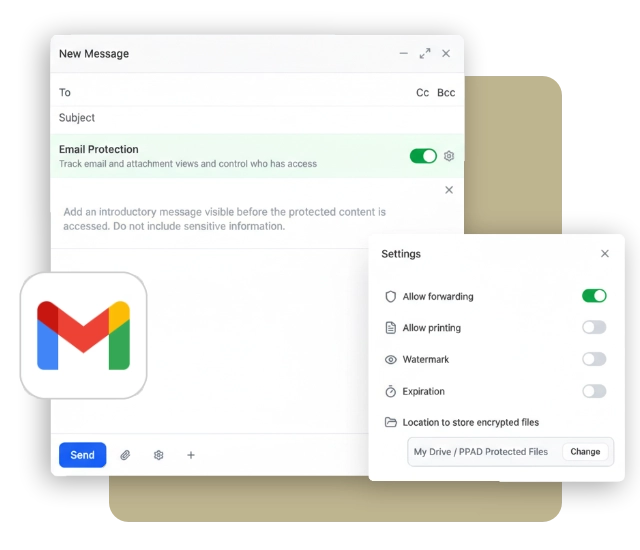
Decide exactly who can receive forwarded files by restricting access to approved domains or specific email addresses. Prevent files from spreading beyond the people you trust.

ppad icon tracking and analytics

Printing Control

Allow or block printing to reduce the risk of offline leaks. Keep sensitive documents protected even when they are viewed outside your environment.

ppad icon device lock

Dynamic Watermarking

Automatically apply watermarks that identify the viewer, such as email or access details. Deter misuse and make every document traceable to its recipient.

ppad icon screenshot protection

Real-Time Insights

See exactly when your files are opened and accessed. Get immediate visibility into recipient activity so you can act at the right moment and follow up with confidence.

ppad icon offline access

Expiry & revoke access

Set automatic expiry dates to limit how long files can be accessed. Ensure documents are only available for as long as they are needed.

ppad icon mobile viewing

Screenshot Protection

Built-in screenshield and screenshot protection helps prevent recipients from capturing sensitive encrypted email content or attachments.


How PPAD Gmail Plugin Works

PPAD Gmail Plugin works directly inside Gmail, letting you protect your email body or attached files with just a few clicks. Set your security preferences before sending and stay in control of access and visibility, even after delivery.
Install
Install the PPAD Gmail plugin from the Google Workspace Marketplace
Encrypt
Apply security settings and encrypt your files before sending
Share
Send protected files directly from Gmail and stay in control after delivery

Security you can count on

Most secure file sharing services lose protection once the file is downloaded. PPAD ensures your files stay secure, anywhere.

  • Built-in protection. Security stays with your file, wherever it goes.
  • Your rules, everywhere. Expiry dates, watermarking, and usage limits remain active.
  • Offline ready. Recipients can work without the internet after initial access. You still control when access ends.

Patent pending. Designed for control and convenience. ISO27001 certified.

Frequently asked questions

What is PPAD?

Persistent Protection After Download (PPAD) is a modern approach to Digital Rights Management that helps you keep control over files after they are downloaded. PPAD files follow the rules you set, such as view-only access, expiration dates, or the ability to revoke access.

What is Digital Rights Management (DRM)?

Digital Rights Management (DRM) enables you to set and control copyright protection and data privacy for your intellectual property, such as market research, eBooks, training materials, PDFs modules and reports. DRM protection enables you to prevent your digital files from unauthorized redistribution and restrict how your recipients can copy content.

Do recipients need to create an account to access files?

No. Recipients can access shared files without creating an account, making it easy to collaborate while keeping documents protected.

Where are my files stored?

Your files are stored in your own Google Drive. You can choose your preferred storage path, giving you full control over where your files are kept.

Can I revoke access after a file has been shared?

Yes. Access can be revoked instantly at any time, even after the file has been delivered.

Does the file stay encrypted after download?

Yes. Downloaded files remain encrypted and are converted to a .ppad file format. The file can only be opened by authorized recipients, ensuring your documents stay protected even after download.

Send Emails Securely with PPAD Today

Install PPAD